The Complete Guide to Instagram Automation Flows & the Flow Builder
The complete guide to Instagram automation flows: how they work, the nodes you need, AI generation, testing and the visual Flow Builder.
An automation flow is a conversation you design once and let run forever. Done well, it feels like a helpful assistant; done badly, it feels like a robot. This pillar guide covers everything: how flows work, the nodes that matter, how AI generates and improves them, and how to test before you publish.
What an automation flow is
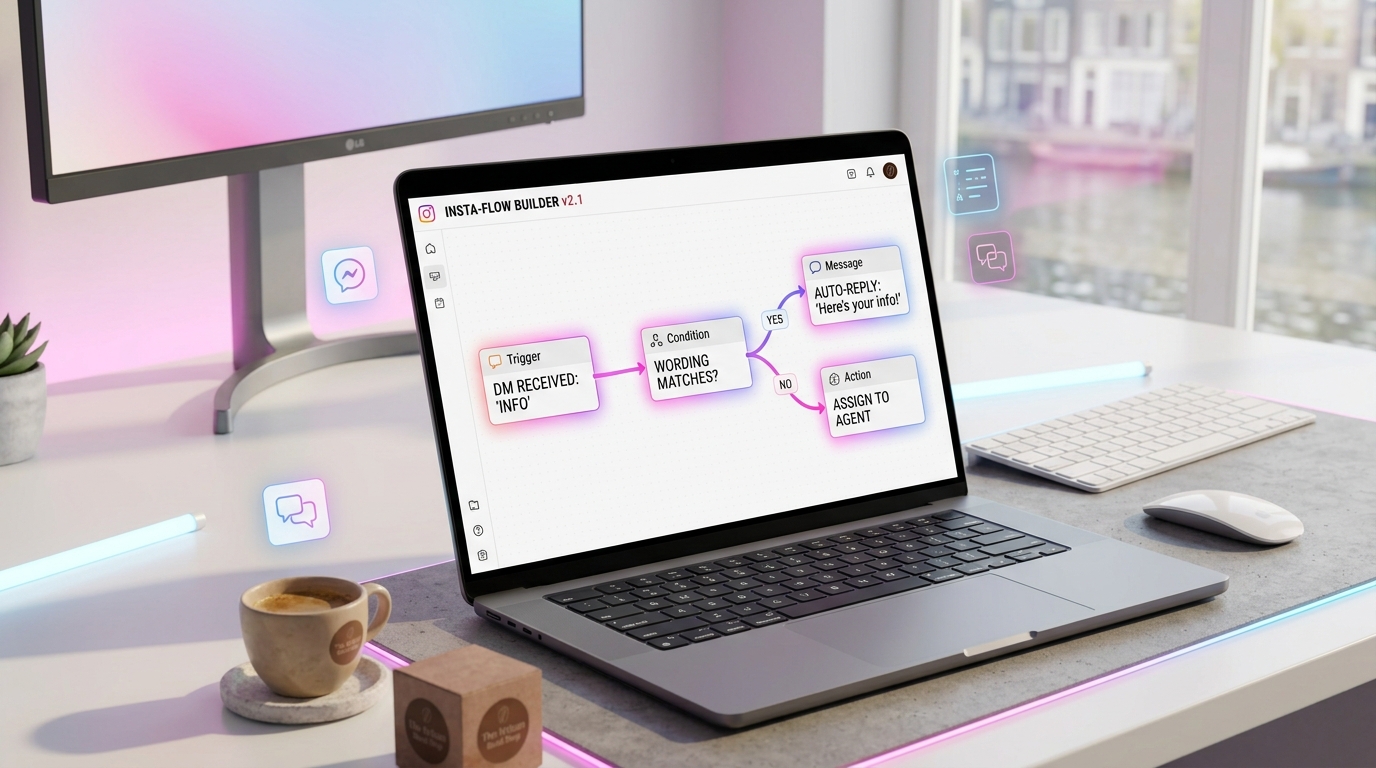
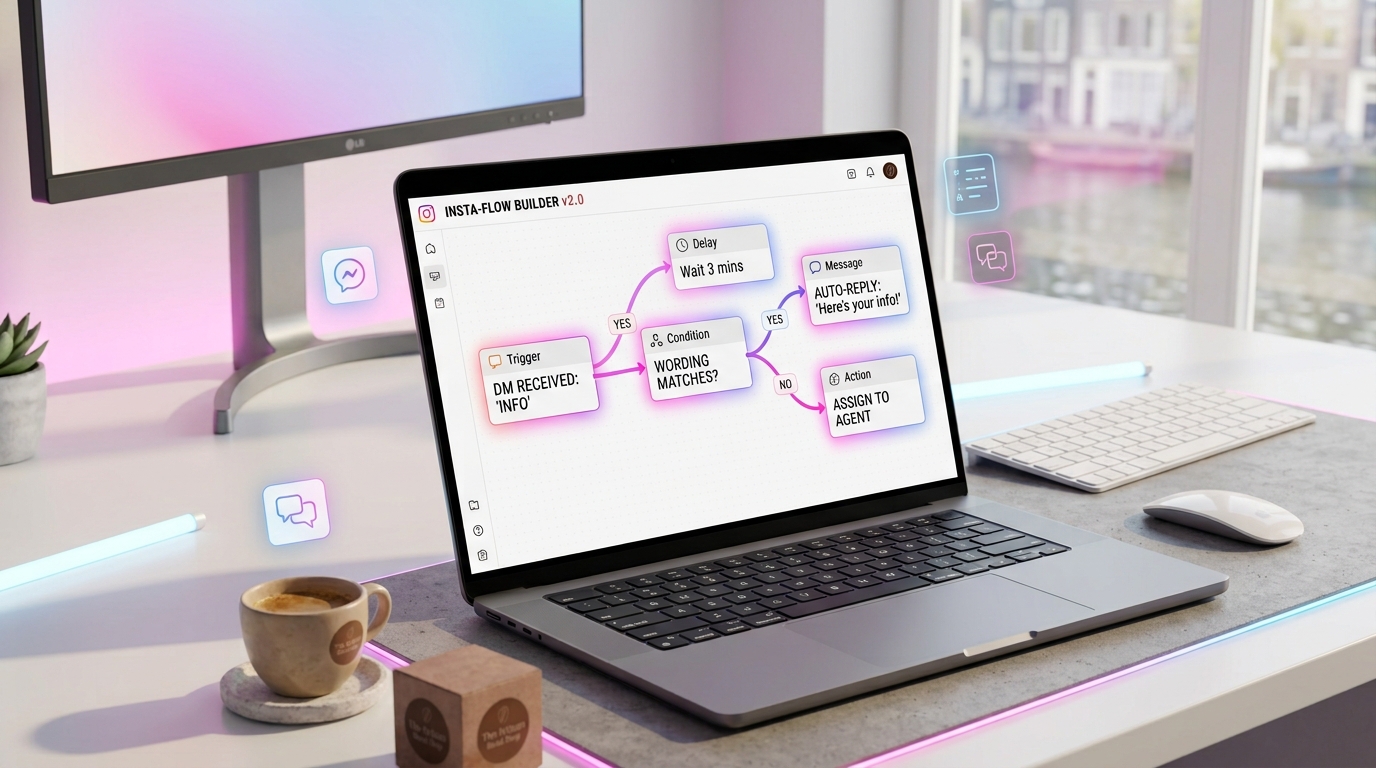
A flow is a set of triggers, nodes and conditions that react to a prospect. A trigger starts it (a keyword, a comment, a story reply, a webhook). Nodes do things (send a message, ask a question, wait, branch, hand off). Conditions decide the path.
The goal is a conversation that qualifies, recommends and closes — without a human typing each step.
The anatomy of a converting flow
Connect your Instagram and watch the first AI-handled conversation in minutes. 14-day free trial, no credit card.
Five steps cover most value:
- Trigger — what starts the flow.
- Greet — a warm, human opener.
- Qualify — one question to capture intent.
- Recommend — the right product or next step.
- Close — a link, a booking, or a scheduled follow-up.
See how to build a DM flow that converts for the step-by-step.
The triggers you can use
Build a real flow, node by node
Click nodes from the palette — the DM preview builds itself, exactly like the Flow Builder.
- Keyword — a word or phrase in a DM.
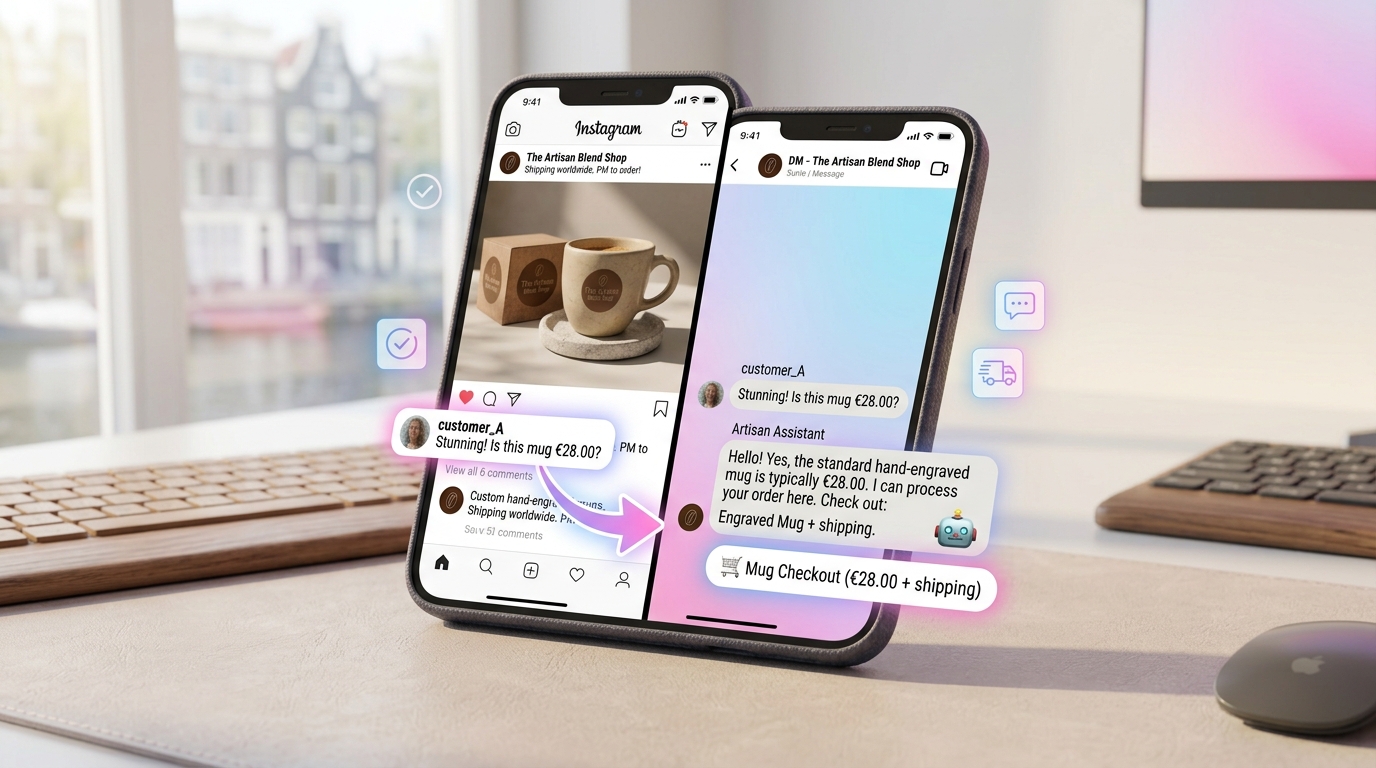
- Comment — a keyword on a post (comment-to-DM).
- Story reply / mention — high-intent signals.
- Webhook — an event from your own systems.
- Schedule — broadcasts and follow-ups.
The nodes you will actually use
- Message — text, with buttons and quick replies.
- Question — capture an answer into a field.
- Condition — branch on the answer.
- Delay — wait minutes, hours or days.
- AI reply — a grounded, on-brand response.
- Handoff — escalate to a human.
- Email capture — collect an address.
- A/B split — test two paths.
- Product / cart — send a product or checkout link.
Around 20+ node types cover virtually every use case.
Keep flows short
The three-message rule: a warm opener, one qualifying question with buttons, and a clear call to action. Every extra step loses people. Long flows look thorough but convert worse.
AI generation: describe it, and it builds
Modern builders let you describe a flow in plain language and generate it. The AI builds the nodes, writes the copy in your voice, and proposes the next best step. It also repairs broken connections automatically — no more hunting for an unlinked node.
This turns flow-building from an engineering task into a five-minute conversation.
AI suggestions while you design
The builder reads your flow and suggests what is missing: a follow-up, a handoff, an A/B test, a better-performing script. Suggestions are localised to your language and grounded in your brand.
A/B testing and audit
Split prospects between two pitches, track every execution, and let the data pick the winner. Every run is logged — A/B results, follow-ups, handoffs and email captures — so you can trace exactly what converted.
Pair this with DM sales scripts that convert to test your best copy.
Follow-ups and handoffs
Follow-up nodes fire at J+1, J+3 and J+7, recovering unconverted leads. Handoff nodes escalate to a human the moment a prospect asks, or when the AI confidence drops. Email capture nodes turn a chat into a contact.
Testing before you publish
Never launch untested. Run the flow against a simulated customer, review each reply, then publish with human confirmation on sensitive sends. Drafts and previews mean nothing goes live without you.
Flow versioning and rollback
Every flow keeps a version history. Compare two versions, restore a previous state, or roll back a change that hurt conversion. This makes iteration safe: you can experiment without fear.
Safety built into the builder
Flows run on the official Meta API, respecting messaging windows and rate limits. For the details, see automation safety.
Flow ideas to start with
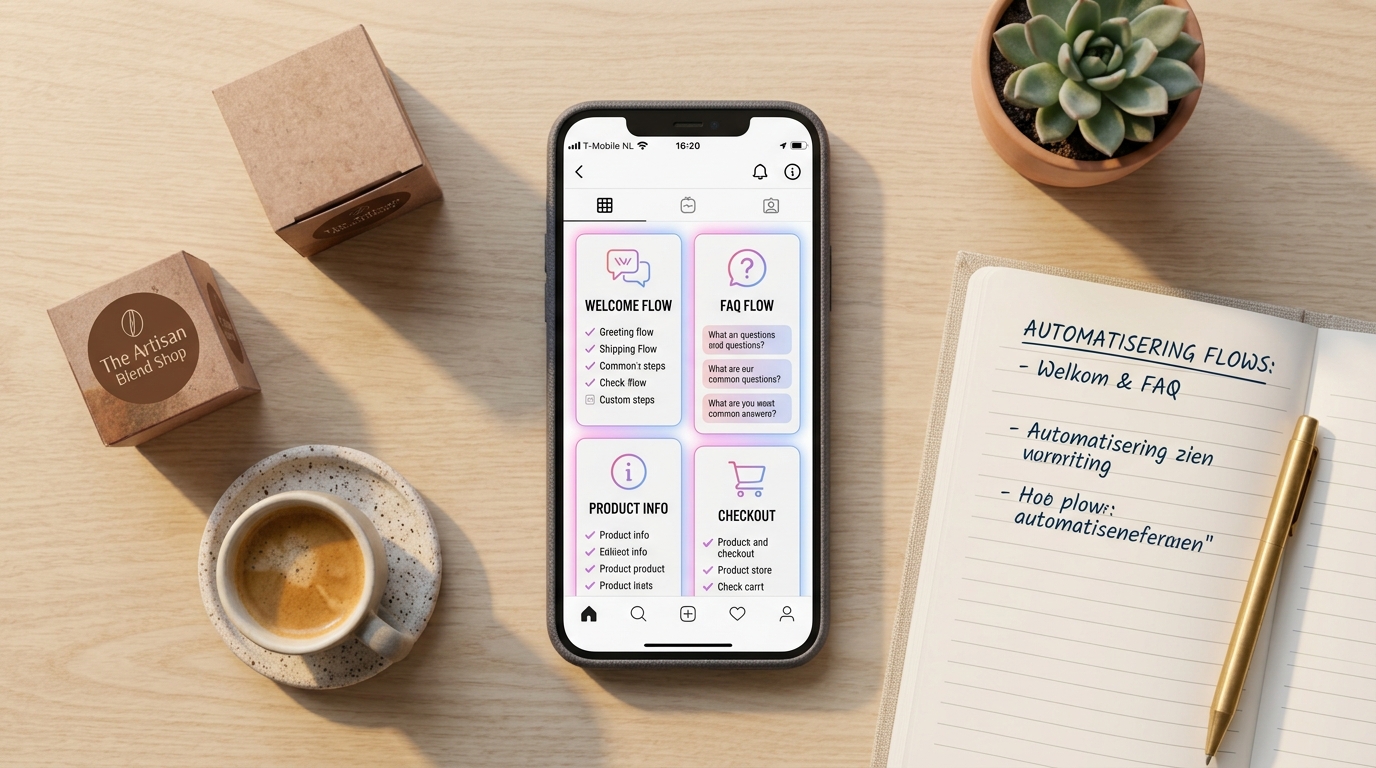
- Welcome flow — greet and route.
- Comment-to-DM — turn comments into chats.
- Price flow — qualify and quote.
- FAQ flow — answer from your docs.
- Abandoned cart — recover the sale.
See 5 flows every business needs.
Common flow mistakes
- Too many steps. Keep it short.
- Cold openers. Welcome warmly.
- No A/B test. You cannot improve what you do not test.
- No follow-up. Most sales need 2–3 touches.
- No rollback plan. Use versioning.
Getting started
Build one flow: a comment → DM → qualify → recommend → close. Generate it with AI, test it, publish it. Then add an A/B test and a follow-up.
With GeniusInstaFlow, the visual Flow Builder generates, suggests, optimises and repairs your flows — on the official Meta API, in 21 languages.
Designing for mobile first
Most of your prospects are on a phone. That changes flow design:
- Short message bubbles — no walls of text.
- Tap-friendly buttons — quick replies instead of typing.
- Fewer steps — every extra screen loses people.
- Fast responses — no long delays mid-conversation.
A flow that tests well on desktop can still underperform on mobile. Design for the thumb first.
Conversation simulation: rehearse before launch
Before a flow goes live, run it against a simulated customer. You see exactly what a prospect would see, step by step, and can fix awkward phrasing or dead ends. Rehearsal is the cheapest bug-fixing you will ever do.
Handling edge cases gracefully
Real conversations go off-script. A robust flow handles it:
- Unrecognised answers — fall back to a clarifying question, not a dead end.
- Off-topic messages — route to the AI agent for a grounded reply.
- Frustration — detect it and hand off to a human.
- Silence — schedule a gentle follow-up.
Designing for the exceptions is what separates a professional flow from a frustrating one.
Where flows meet the Sales Engine
Flows and the Sales Engine are complementary. The flow handles structure (trigger, qualify, route); the Sales Engine handles the sales conversation (objections, recommendations, closing). Together they cover the whole journey.
See the AI Sales Engine guide for the selling side.
Flow metrics that matter
- Entry rate — how many prospects trigger the flow.
- Completion rate — how many reach the end.
- Drop-off point — the step where people leave.
- Conversion rate — how many convert.
- Revenue per flow — the money it earns.
Watch the drop-off point most closely: that is where your next improvement lives.
Frequently asked questions
Do I need to code? No. The builder is fully visual, and AI can generate a flow from a description.
Can I migrate from another tool? Yes — rebuild any flow in minutes with AI generation.
What starts a flow? Keywords, comments, story replies, webhooks and schedules.
Can I undo a change? Yes — versioning lets you compare and roll back.
Is it safe? On the official Meta API, with messaging windows and rate limits enforced.
A worked example: the price-request flow
Let us build one flow end-to-end so you can see the nodes in action.
- Trigger: DM contains "price".
- Greet: "Happy to help — which product are you interested in?" (with 3 quick-reply buttons).
- Qualify: branch on the answer, then ask one budget/deadline question.
- Answer: the AI reply shares the real price from your catalog.
- Objection: a condition checks for hesitation and routes to the objection node.
- Close: send a checkout link with the product pre-filled.
- Follow-up: if no purchase in 3 days, a J+3 relance fires.
Seven nodes, one clear objective. That is a complete sales flow.
Broadcasts: reaching segments
Beyond reactive flows, broadcasts let you reach a segment proactively — a product drop, a restock, a limited offer. Segment by what people did (bought, asked, browsed) and send within the messaging window so open rates stay high.
Broadcasts are how you re-engage a warm list without spamming it.
Templates and recipes
Rather than starting from a blank canvas, start from a validated template: price request, FAQ support, catalog request, welcome. Templates are localised and ready to adapt — publish in minutes, not hours.
Organising flows as you scale
As you add flows, keep them organised:
- Name by goal — "Welcome", "Price qualification", "Cart recovery".
- One job per flow — avoid mega-flows that try to do everything.
- Reuse nodes — shared templates for common replies.
- Review monthly — a flow that worked last quarter may not now.
Clean structure keeps a growing automation library maintainable.
Conclusion
The Flow Builder turns conversations into a repeatable system: triggers, nodes, AI generation, testing and versioning — all visual. Build one flow well, measure it, and improve it. Everything else compounds from there.
GeniusInstaFlow gives you the builder, the templates and the AI to ship flows fast — safely, in 21 languages.
Triggers in depth
The trigger is the most important node in any flow — get it wrong and nothing else matters. The four you will use most:
- Keyword triggers — match a word or phrase in a DM. Best for direct intent ("price", "demo", "support").
- Comment triggers — a keyword on a post. Best for capturing engagement and turning it into a DM.
- Story triggers — a story reply or mention. Best because intent is highest here.
- Webhook triggers — an external event (form, purchase, CRM update) that starts a flow.
You can combine triggers: a comment flow that starts a DM flow that starts a sales flow. Each stage keeps its own job.
Conditions and branching without chaos
Branching is powerful but easy to overdo. Keep it readable:
- Binary branches — yes/no, this or that. Simple beats clever.
- Max 2–3 levels deep — deeper trees are hard to maintain.
- Always offer a fallback — what happens if nothing matches?
- Name your branches — future-you will thank you.
A messy flow is a flow you will not dare to edit. Keep it clean.
Delays: the art of timing
Timing changes everything in a conversation:
- No delay — for the immediate answer.
- Seconds — to feel human, not robotic.
- Hours — to wait for a reply before following up.
- Days (J+1, J+3, J+7) — for sales follow-ups.
Instant answers feel efficient; instant follow-ups feel pushy. Match the delay to the context.
The 10 flows that cover 90% of use cases
- Welcome / greeting
- Comment-to-DM
- Price qualification
- FAQ & support
- Lead capture
- Product recommendation
- Abandoned cart
- Post-purchase & review
- Re-engagement broadcast
- Human handoff
Build these ten once and you have a complete automation library.
Testing checklist before you publish
- ☐ Every branch has an exit
- ☐ No dead ends or infinite loops
- ☐ Copy reads naturally in every language
- ☐ Delays are set sensibly
- ☐ Handoff triggers work
- ☐ Sensitive sends require confirmation
- ☐ Simulated customer run completed
Run this list before every launch. It catches 90% of flow bugs.
A/B testing your flows properly
An A/B test is only useful if it is clean. Test one variable at a time — a different opener, a different question, a different close — not several at once. Let it run until you have enough data to trust the result, then keep the winner and test the next variable.
Over a few months, this compounds into a flow that is measurably better than where you started.
Multilingual flows
A good builder handles language automatically: it detects the prospect's language and replies in it, with localised templates ready to publish. One flow, 21 languages — no manual translation. See multilingual selling.
Flow analytics: reading the funnel
Every flow produces data. The most valuable views:
- Entry → completion — where people drop off.
- Per-node performance — which messages hold attention.
- A/B results — which variant wins.
- Revenue per flow — the money each flow earns.
Optimise the node with the biggest drop-off first — that is where the gains are.
Common flow patterns by industry
- E-commerce — comment → DM → product → cart → follow-up.
- SaaS — DM → qualify fields → demo booking.
- Agency — DM → scope/budget → proposal handoff.
- Local — DM → booking → reminder.
- Creator — DM → collab triage → partner product.
Start from a template, adapt to your offer, test, improve.
When to hand off to a human
Automation should escalate, not trap. Hand off when:
- The prospect asks for a human.
- The AI confidence drops.
- The conversation turns emotional or high-value.
- A custom or negotiated deal is requested.
A smooth handoff — with full context — is what makes automation trustworthy.
Conclusion
Flows are the backbone of Instagram automation. Start with the few that matter, keep them short, test before publishing, and improve them with data. The Flow Builder makes every step visual, AI-assisted and reversible.
GeniusInstaFlow gives you a builder that generates, suggests, optimises and repairs — on the official Meta API, safely, in 21 languages.
Put this into practice
Build your first AI workflow in minutes — the Sales Engine, Flow Builder and multilingual templates are ready.