Instagram Automation Safety: How the Official API Protects Your Account
Account bans are the #1 fear in Instagram automation. Here is how the official Meta Graph API keeps your account safe, and what to avoid.
The #1 reason people fear Instagram automation is simple: bans. And the fear is justified — thousands of accounts are suspended every day for using third-party tools that violate Instagram's terms.
But not all automation is unsafe. The difference comes down to how you connect. This guide explains how the official Meta Graph API protects your account, what to avoid, how an account health score works, and how to audit any tool before you trust it with your business.
Why accounts get banned
Instagram bans accounts for violating its terms. The most common automation-related violations:
- Using unofficial APIs. Tools that log in with your password and simulate a human are scraping Instagram's private interface — a direct terms violation.
- Logging in with your password. Any tool that asks for your Instagram password is a red flag. It exposes your account and violates the platform rules.
- Spamming at scale. Sending the same message to thousands of people in seconds triggers spam detection.
- Unnatural behavior. Follow/unfollow bots and mass-like tools trigger anti-bot systems.
Understanding why bans happen is the first step to avoiding them. Every one of these violations comes down to a tool that does not respect Instagram's rules.
What the official Meta Graph API is
Connect your Instagram and watch the first AI-handled conversation in minutes. 14-day free trial, no credit card.
The Meta Graph API is Instagram's official, sanctioned interface for connecting apps. It is the same API Meta's own partners use. Connecting through it means:
- You never share your password. Authentication happens via OAuth — you grant access, you revoke it anytime.
- You stay within platform limits. The API enforces Instagram's messaging windows and rate limits, so you cannot accidentally spam.
- Your account is recognized as legitimate. Activity through the official API is not treated as bot behavior.
This is the foundation of safe automation. If a tool does not use the official API and asks for your password, walk away.
OAuth: no passwords, ever
Push the sending pace — watch the safety system react
This simulates the real Account Health Score, the 250-DM window, and the Fibonacci backoff that protects your account.
The single most important safety feature is OAuth. Instead of giving a tool your password, you log in to Meta once, approve the connection, and the tool gets a scoped token.
Benefits of OAuth:
- You never reveal your password to a third party.
- You can revoke access at any time.
- The tool can only do what you approved.
Any automation platform worth using connects through OAuth. That is a non-negotiable safety standard.
Messaging windows and rate limits
Instagram restricts how often you can message people. The official API respects these rules:
- 24-hour window. You can send unlimited messages within 24 hours of a user's last interaction.
- Outside the window. You can only send one approved message template.
Respecting these windows is what keeps your account safe and your messages deliverable. A good tool enforces them automatically.
The account health score
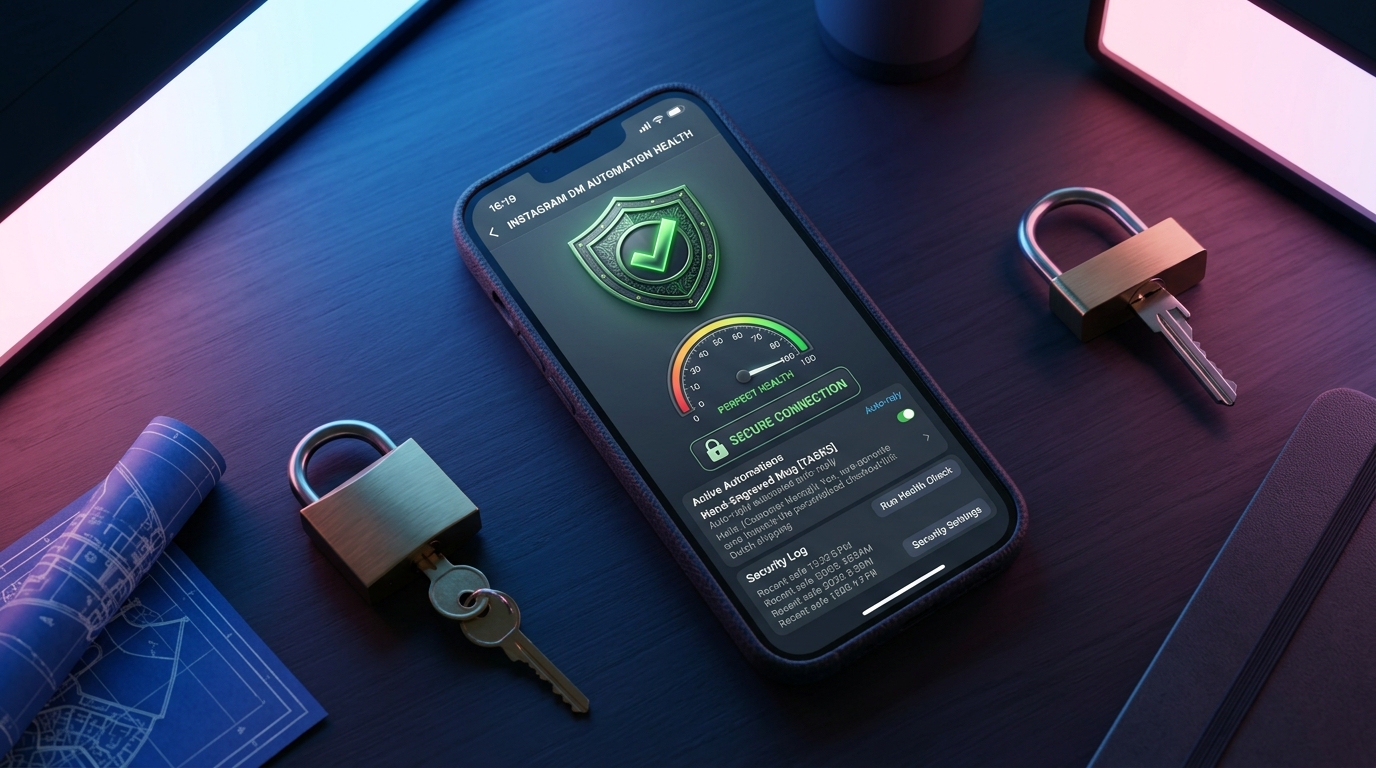
The best safety tool is prevention. A modern platform includes an Account Health Score — a live 0–100 gauge that tracks quota usage, token status, ramp state and recent errors.
When the score approaches a limit, the system automatically slows down before Instagram ever blocks a send. It is a safety net that reacts faster than any human could.
Here is what a healthy account looks like:
- Quota: well under the daily message limit
- Token: valid, not about to expire
- Ramp: gradually scaling up, not spiking
- Errors: near zero recent Graph API errors
This is the difference between "hope I don't get banned" and "my system protects me."
The ramp: why gradual beats instant
New accounts are especially at risk. That is why safe automation uses a gradual ramp: you start at a low message volume and scale up day by day as the account proves stable.
An official-API tool with a ramp and a health score will:
- Start conservatively on day 1
- Scale up slowly over 14 days
- Freeze the ramp if errors spike (circuit breaker)
- Resume when the account is stable
This mimics natural human growth and keeps your account well under the radar.
What to avoid in an automation tool
- Password-based logins. Deal-breaker.
- Unlimited follow/unfollow. Guaranteed ban risk.
- No rate limits. If a tool lets you blast thousands of messages, it is not respecting the platform — and your account pays the price.
- No human confirmation. Sensitive actions should require your approval.
How to audit a tool before you trust it
Run every potential tool through this 5-question audit:
- Does it connect via OAuth and the official API? (No = walk away)
- Does it enforce messaging windows and rate limits? (No = your account is at risk)
- Does it have an account health score or anti-ban protection? (No = you are flying blind)
- Does it require human confirmation on sensitive sends? (No = too much autonomy)
- Can you revoke access at any time? (No = you have no control)
If the answer to any of these is no, your account is at risk.
Automation safety for ads
Even advertising is safer with the official API. Click-to-DM ads and the Conversions API work natively with Meta, so your tracking is accurate and compliant. For the setup, see our guide on click-to-DM ads.
Realistic automation safety rules to follow
Beyond choosing the right tool, your own habits matter. These rules keep any Instagram automation account healthy:
- Never share your password. Even "temporarily" for support. Legitimate tools never need it.
- Keep a human on sensitive sends. Approve anything that could look spammy or risky.
- Watch your follow/unfollow volume. Even via the API, unnatural spikes are flagged.
- Don't copy-paste one message to everyone. Personalize with context from the conversation.
- Stay within messaging windows. Respect the 24-hour rule and approved templates.
- Verify your business. A verified or business account is seen as more legitimate.
What the "official API" really means for your business
Using the official API is not just about avoiding bans — it is about stability. Official connections:
- Survive Instagram algorithm changes (they update the API, not break it)
- Give you access to sanctioned features (messaging, ads, insights)
- Keep your messages deliverable and your analytics accurate
A password-based scraper, by contrast, breaks every time Instagram changes its private interface — which is constantly. You get downtime, errors and risk, all at once.
Instagram automation safety: quick-reference table
Here is how to tell a safe tool from a risky one at a glance:
- Connection: Official API + OAuth (safe) vs password login (risky)
- Rate limits: Enforced (safe) vs unlimited (risky)
- Messaging windows: Respected (safe) vs ignored (risky)
- Health score: Has one (safe) vs blind (risky)
- Human approval: Required on sensitive (safe) vs fully autonomous (risky)
Instagram automation safety FAQ
Is all Instagram automation against the rules? No. Automation through the official API is legitimate and widely used. It is only unsanctioned scraping or password-based bots that violate terms.
Will I get banned for automating DMs? If you use the official API with messaging windows and rate limits, the risk is minimal. The official API is Meta's own sanctioned path.
Is it safe to give a tool my Instagram password? No. Never. Legitimate tools use OAuth and never need your password.
What should I do if my account gets flagged? Stop the automation, reduce activity, and verify your account. A tool with a health score would have slowed down before the flag.
Do official-API tools cost more? Often, yes — because they are built properly. But the cost of a ban (lost followers, lost access, lost revenue) is far higher than any tool subscription.
Can I migrate from an unsafe tool? Yes. If your current tool asks for your password, switching to an OAuth-based official-API tool is one of the best safety moves you can make.
The bottom line
Instagram automation is not inherently risky — unsafe automation is. By connecting through the official Meta Graph API with OAuth, respecting messaging windows, using a gradual ramp and an account health score, you can automate 24/7 with minimal ban risk.
GeniusInstaFlow is built on exactly that foundation: 100% official API, OAuth without passwords, enforced messaging windows, a gradual ramp, an account health score, and human confirmation on sensitive actions. Your account stays safe while your DMs work for you.
A real-world ban scenario (and how the official API avoids it)
Imagine an account that starts following 500 people a day, liking 1000 posts, and sending the same DM to everyone — through a password-based tool. Within days, Instagram flags it: too many actions, no natural break, identical messages. The result is a temporary block, then a permanent suspension.
Now imagine the same account through the official API:
- It connects via OAuth — no password, no scraping.
- It starts with a low ramp and scales up over 14 days.
- It respects the 24-hour messaging window and approved templates.
- It personalizes each reply from real conversation context.
- Its health score drops as activity rises, and it slows down automatically before any flag.
Same goal, radically different outcome. That is the whole point of safe automation.
Common automation safety myths, debunked
Myth: "All automation is bannable." False. Official-API automation is legitimate and widely used by large brands.
Myth: "If I use a popular tool, it must be safe." Not necessarily. Popularity is not safety. Check the connection method, not the marketing.
Myth: "I'll just automate a little — it won't hurt." Even small violations can trigger flags. Respect the limits from day one.
Myth: "A ban is easy to appeal." Sometimes, but not always — and while you wait, you lose reach, sales and momentum. Prevention beats appeals.
Automation safety checklist (print this)
- ☐ My tool uses the official Meta Graph API
- ☐ I connect via OAuth — I never share my password
- ☐ My tool enforces messaging windows and rate limits
- ☐ It has an account health score / anti-ban protection
- ☐ Sensitive sends require my human approval
- ☐ I can revoke access at any time
- ☐ My follow/unfollow volume stays natural
- ☐ My messages are personalized, not copy-pasted
Why "official API" is a competitive advantage
Many of your competitors are still using risky, password-based tools because they are cheap or familiar. By switching to the official API, you gain a real edge:
- You keep your account — and your accumulated audience and trust.
- You can scale safely while competitors fear bans.
- Your messages stay deliverable and your analytics stay accurate.
- You look professional to customers and clients who ask how you automate.
Safety is not a constraint — it is a differentiator.
Getting started safely
If you are new to automation, start conservatively:
- Choose an official-API tool (see our guide on DM automation vs ManyChat).
- Connect via OAuth and set a low daily volume.
- Watch your health score for the first two weeks.
- Scale up gradually as the account proves stable.
- Keep a human on sensitive sends.
With GeniusInstaFlow, every step of that path is built in — official API, OAuth, ramp, health score and human confirmation. You get the growth without the gamble.
Instagram automation safety: glossary
Graph API — Meta's official interface for connecting apps to Instagram.
OAuth — the secure standard for granting a tool access without sharing your password.
Scoped token — a revocable credential that limits what a tool can do.
Messaging window — the 24-hour period of free messaging after a user interaction.
Rate limit — a cap on how many actions you can perform in a time period.
Ramp — the gradual scaling of automation volume over days.
Account Health Score — a live gauge of quota, token, ramp and error status.
Human-in-the-loop — keeping a person in control of sensitive actions.
Frequently asked questions
How do I know a tool uses the official API? Ask directly, and check the connection method. If it needs your password, it does not use the official API.
Can I automate comments safely? Yes — replying to comments via the official API is legitimate and low-risk.
What happens if my token expires? You re-authenticate via OAuth. It is a safety feature, not a bug.
Is a health score really necessary? It is the difference between reacting to a ban and preventing one. Yes, it matters.
Can agencies use this for client accounts? Yes — official-API tools support managing multiple accounts with per-account health and role-based access.
Instagram automation safety by business type
Small e-commerce. You cannot be online 24/7, so automation is a must. Use the official API, answer from real stock and FAQ, and keep a health score on. Your account and your store stay safe.
Agencies. You manage client accounts — a ban is catastrophic. Use per-account health scores, gradual ramps and role-based access so every client account is protected individually.
Creators and influencers. Your account IS your brand. Never risk it with a password tool. Connect via OAuth and keep sensitive sends approved by a human.
Coaches and consultants. Qualification is your whole game. Automate the capture and qualification, keep the relationship human, and protect your reputation with a safe foundation.
The cost of an account ban (why safety pays)
An Instagram ban is expensive in ways people rarely count:
- Lost followers — audience you spent months or years building.
- Lost access — to DMs, ads, insights and past content.
- Lost revenue — the sales that funnel was generating.
- Lost trust — customers and clients notice you vanished.
Against that, the cost of a safe, official-API tool is trivial. Safety is not an expense — it is the cheapest insurance you will ever buy for your account.
How to respond if your account is flagged
Even with safe automation, flags can happen. Here is what to do:
- Stop automation immediately. Pause the tool to reduce activity.
- Review what triggered it. Check your health score and recent errors.
- Verify your account. Complete any verification Instagram requests.
- Wait it out. Give the account time to cool down before resuming.
- Resume slowly. Rebuild the ramp from a low volume.
With a health score, your tool would have slowed down before the flag — which is exactly why it is worth having.
Put this into practice
Build your first AI workflow in minutes — the Sales Engine, Flow Builder and multilingual templates are ready.